If you’ve spent time on active jobsites, you’ve seen how a simple invoice can turn into a schedule problem. A drywall supplier bills for board you haven’t received, a rental house keeps charging because off-rent didn’t documented, or a subcontractor’s pay app gets rejected because the schedule of values doesn’t match the contract. Then accounting is waiting, the PM is frustrated, and the vendor is calling the superintendent, who’s already dealing with inspections and manpower.
It is where invoice management matters in construction. It’s not just about paying bills, but it also keeps scope, documentation, job cost, compliance, and cash flow aligned. Ultimately, your project moves forward without financial surprises. Let’s explore more about invoice management!
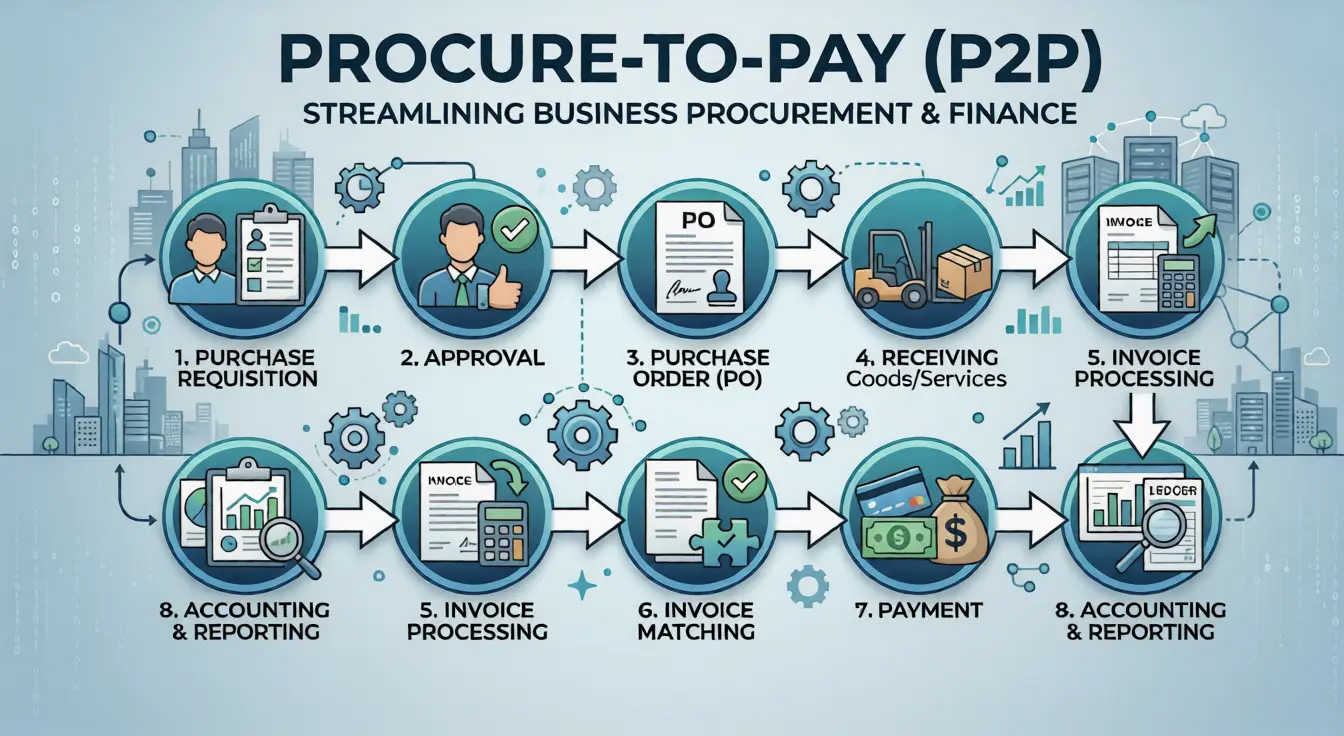
To understand how invoice controls fit into the bigger picture of procurement structure and accountability, it helps to review the full procurement process flow and how to optimize it.
What Is Invoice Management?
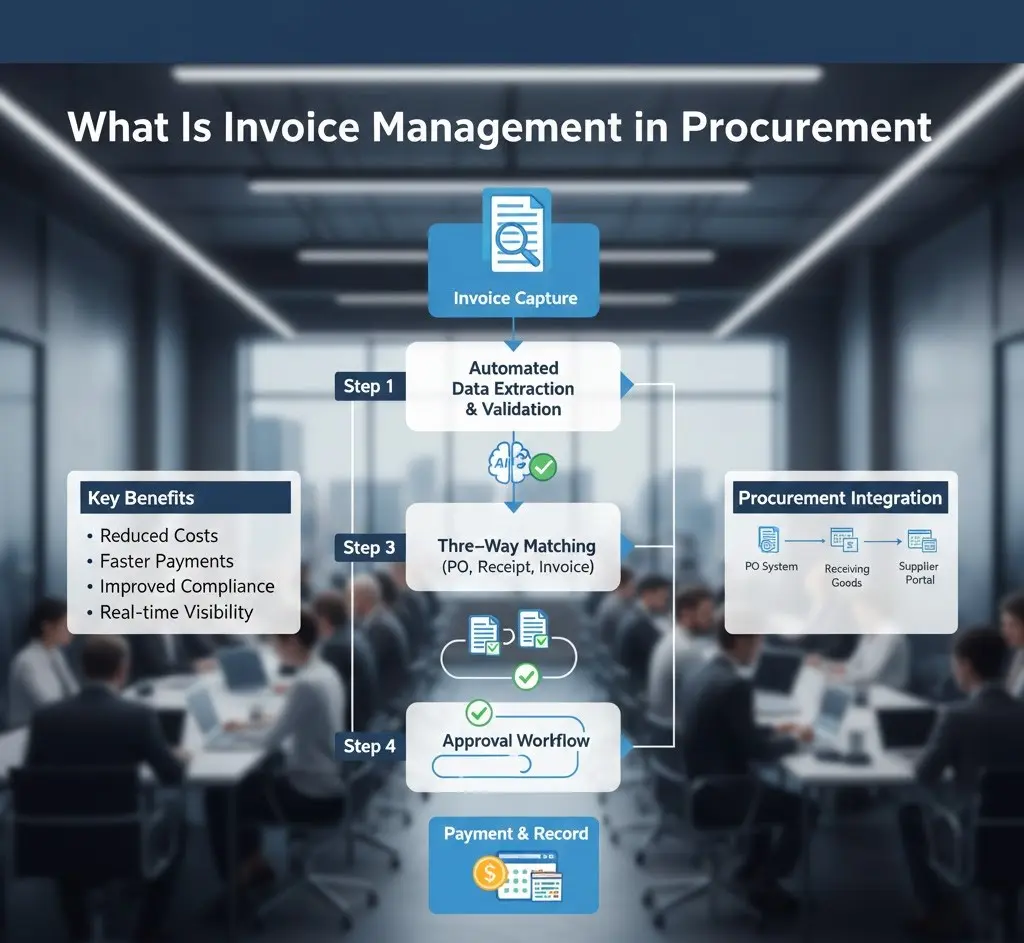
Invoice management is the structured way a company controls the full lifecycle of an invoice, from receipt and data capture, through verification, approval, payment, and recordkeeping.
In simple construction terms, it’s how you make sure the bill you’re about to pay is real, contract-aligned, properly coded, properly approved, and properly documented. Doing so is essential before it hits the ledger and the job cost report.
What Is Invoice Management In Construction?
In many industries, an invoice is a list of items and a total. In construction, invoices often represent work-in-place or project-specific purchasing activity that must tie back to:
- A pay application structure (often monthly)
- An approved schedule of values
- Stored material documentation
- Approved change orders
- Lien waiver requirements
AIA’s G702/G703 process is a common example of a standardized pay app workflow used across the industry.
Simply Put,
Invoice management is the process and controls used to receive, validate, approve, pay, and archive invoices. This ensures accurate payments, transparent job costing, and audit-ready documentation.
And when you’re trying to manage invoices well on construction projects, the goal is speed with controls, because paying the wrong amount or paying without required documentation is how jobs reduce margin and how payment disputes start.
Invoice Vs. Pay App
A lot of field teams use the word invoice to describe everything. But procurement and project controls teams usually separate.
A typical vendor invoice deals with materials, rentals, trucking, and professional services, while a subcontractor pay application progresses with billing. Furthermore, construction pay apps often rely on a schedule of values and standardized forms, like AIA G702/G703. They show completed work, stored materials, retainage, and the current amount due. Additionally, the materials invoice is often validated by PO/receiving and unit pricing. A pay app is validated by percent complete, stored materials documentation, contract values, and change status.
What Is Vendor Invoice Management?
Vendor invoice management is the invoice process specifically focused on invoices coming from external suppliers, subcontractors, and service providers. This covers
- Receipt
- Validation
- Approvals
- Exception handling
- Payment
- Recordkeeping
Simply, vendor invoice management is how a contractor or owner verifies that vendor bills match what was bought or earned, what was received or installed, and what the contract allows. All these questions are answered before releasing the payment.
Is Vendor Invoice Management Tougher In Construction?
Construction vendor invoices don’t live in a single department. A supplier invoice might be accurate, but the receiving ticket is in the trailer, the PO is in a procurement email chain, and the cost code is in the PM’s head. And subcontractor invoices or pay apps are often tied to multiple layers of documentation:
- Schedule of values
- Retainage calculations
- Stored materials backup
- (Sometimes) lien waivers as part of the billing package
Standard Vendor Invoice Package Common Among Professionals
On higher-control projects, like public work, lender-controlled projects, and complex commercial work, the reliable teams don’t just ask about invoice receiving. They focus on the comprehensiveness of the invoice package. In simple terms, they focus on the invoice plus the job evidence that supports it.
Here is a checklist you can use for verification:
- PO/subcontract reference or contract line item reference
- Delivery ticket/receiving confirmation of materials
- Off-rent confirmation of equipment rentals
- Approved change documentation if the invoice includes extra work
- Correct cost code/phase/location tags for job costing
- Required compliance docs in place as dictated by contract and project requirements
Plus point: This package approach is how you protect yourself when an owner asks for backup on a cost-plus job or during audit review.
To strengthen vendor accountability and documentation standards across projects, it’s also helpful to establish clear expectations through a strong supplier code of conduct:
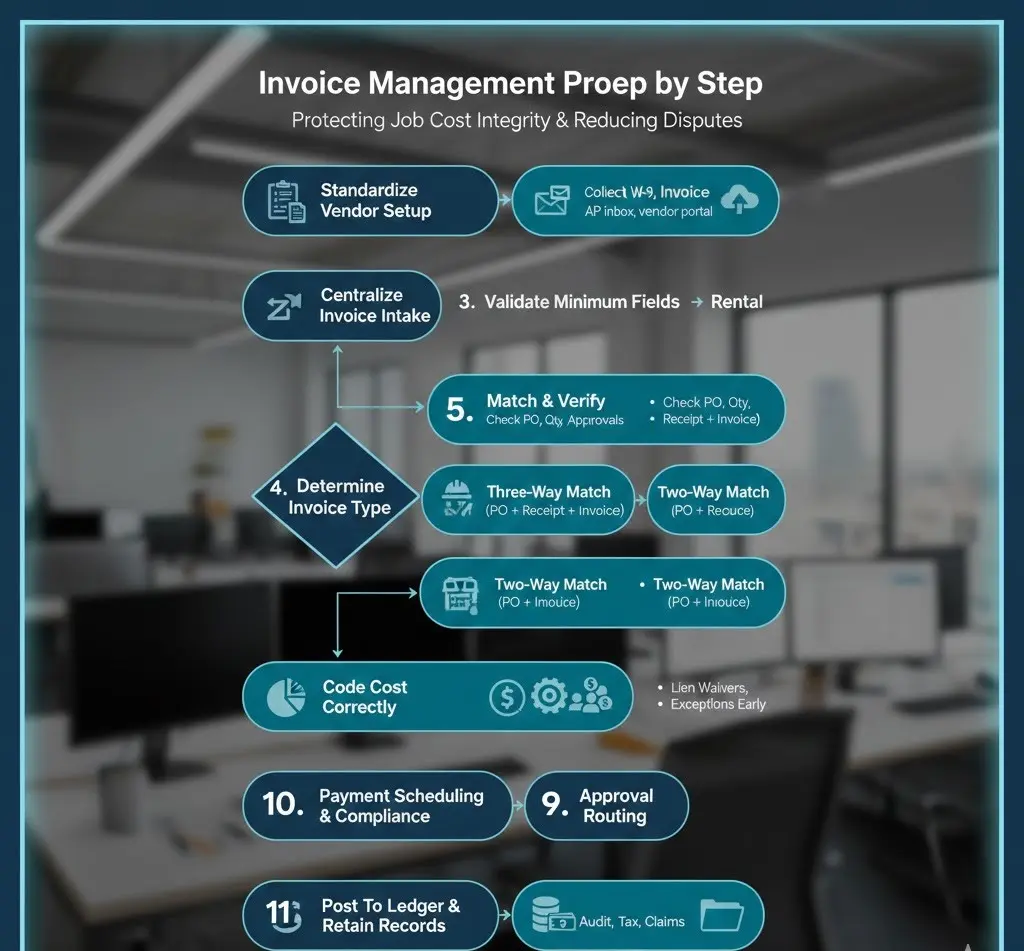
Invoice Management Process Step by Step
A consistent invoice management process is one of the most practical ways to reduce disputes and protect job cost integrity. This becomes more essential when you’re running multiple projects and dozens or hundreds of vendors.
Below is a step-by-step process:
1. Standardize Vendor Setup Before the First Invoice Hits
If vendor setup is careless, invoices will be messy. At a minimum, vendor onboarding should capture the vendor’s legal/tax identity and payment info. In the U.S., collecting Form W-9 (when applicable) supports accurate taxpayer identification and year-end information reporting, such as 1099 forms, where required.
2. Centralize Invoice Intake
Construction teams lose invoices because they arrive everywhere, including PM email, jobsite mailbox, vendor portal, or are even handed over in the field. Centralize invoices to one controlled path, like an AP inbox, portal, or invoice tool. This ensures the team is tracking what arrived and when perfectly.
3. Log, Date-Stamp, & Validate Minimum Invoice Fields
Before any approval, confirm the invoice is complete enough to process. Check for:
- Vendor name
- Invoice number
- Invoice date
- Job/project reference
- Description of goods/services
- Amounts
- Payment terms
This reduces rework later.
4. Determine The Invoice Type
This is where experienced teams save time. Not every invoice needs the same workflow, but you need to clear the concept on material supplier invoice vs. subcontractor pay app vs. equipment rental vs. T&M ticketing vs. design consultant invoice.
5. Match & Verify
Where possible, apply matching controls:
● Three-Way Match
Purchase order + receiving (delivery/receipt) + vendor invoice
This is a standard AP control used to confirm that what was ordered and received matches what is being billed.
● Two-Way Match
Purchase order + invoice
This way is often used when receiving documentation isn’t practical, but risk-managed with thresholds or spot checks. For construction, matching should also include scope alignment, meaning you should be clear on what was bought in buyout vs. what’s being billed now.
6. Field Verification
For materials and rentals, field verification is where overbilling is caught early. Examples of real field issues that experienced teams watch for include:
- A supplier bills full quantities, but partial deliveries happened across multiple drops. If tickets aren’t captured, the invoice review becomes guesswork.
- A rental invoice runs past off-rent because the off-rent email never made it back to AP. That can turn into avoidable costs.
7. Code The Cost Correctly
Cost coding isn’t busywork. If you code incorrectly, your cost reports will lie, and you’ll make bad project decisions based on bad data. Many contractors align cost coding with recognized construction classification structures, often related to CSI MasterFormat divisions for organizing construction information. They do so because it supports consistency across estimating, buyout, and cost tracking.
8. Approval Routing With Clear Authority Limits
Routing should reflect:
- Project role: PM vs. superintendent vs. project executive
- Dollar thresholds
- Risk profile
This is also where basic internal control principles matter, like
- Separating responsibility so one person isn’t initiating
- Approving plans
- Releasing payment without oversight
9. Resolve Exceptions Early
Exceptions are normal, including missing backup, price variance, quantity mismatch, and unapproved change work. The key is giving exceptions a structured path instead of emails mess.
10. Payment Scheduling & Compliance Checks
Before releasing payment, confirm you’re not missing documentation that could create downstream risk. Lien waivers are a common example of a document tied to payment risk management. Some states use statutory forms and require careful handling of conditional vs. unconditional releases.
11. Post To The Ledger + Retain Records For Audit & Tax
Construction invoice management isn’t finished when you pay. However, it’s finished when the invoice and backup are archived in a way that can be retrieved quickly for:
- Owner backup requests
- Claims
- Audits
- Tax recordkeeping.
IRS guidance emphasizes keeping records as needed to support tax reporting, and also notes you may need records longer for other non-tax purposes, like insurance, creditors, and contracts.
To see how structured invoice workflows align with broader operational controls, explore our guide on end-to-end procurement and how it integrates purchasing, approvals, compliance, and financial oversight.
| Invoice type | What you should verify before approval | Typical backup that cut conflcits |
| Material supplier invoice | Matches PO pricing + received quantities | PO, delivery tickets, receiving confirmation, approved substitutions |
| Subcontractor progress billing / pay app | Matches the schedule of values, percent complete, retainage, and approved changes | G702/G703 or equivalent, SOV, stored materials proof, approved change orders |
| Equipment rental invoice | On/off rent dates, negotiated rates, minimums | Off-rent confirmation, rental agreement, equipment logs |
| T&M / extra work tickets | Labor hours, equipment hours, material receipts | Signed T&M tags, daily reports, supervisor sign-off |
| Professional services (design, survey, testing) | Contract rate, scope coverage, deliverables | Proposal/contract, timesheets (if applicable), deliverable logs |
| Public work compliance-tied items | Compliance documentation is complete | Requirements vary; certified payroll may be required on covered work |
Common Challenges In Managing Invoices
Most invoice problems in construction aren’t caused by bad accounting. However, they’re caused by project reality, like multiple stakeholders, fast-moving field conditions, and documentation that gets created outside the office.
Here are the most common failure points you must avoid:
● Invoices Arrive With Missing Project Context
This is the common in the market: vendor invoice says materials with no job, no PO, no ship-to reference. Then AP has to guess who owns it. This situation leads to delays and vendor frustration. A transparent intake requirement, with job name, job number, cost code (when possible), PO/subcontract reference, solves this issue.
● Billing Of Unapproved Changes
This one hits margins. A subcontractor performs extra work under a field directive or verbal instruction, then bills it. If the change isn’t approved or at least documented as pending, the invoice becomes a dispute. Therefore, reliable teams tie invoice approvals to change status and keep a clear log of potential change orders.
● Rejected Pay Apps Due To Issues In Values
If you’ve worked with AIA-style billing, you know this pain: Numbers don’t roll correctly, line items don’t match the agreed schedule of values, or retainage isn’t shown consistently. The schedule of values itself is a contractual control point.
AIA guidance explains it’s required under certain AIA general conditions, e.g., A201 §9.2, to allocate the contract sum across portions of the work before the first application for payment. When SOV management is messy, invoice management turns into rework.
● Lien Waivers Slow Payment Or Create Risk When Handled Incorrectly
Lien waivers are a payment-risk tool, but they’re not“one-size-fits-all. There are conditional vs. unconditional waivers, and progress vs. final releases. Some jurisdictions provide statutory forms and general rules about when releases are effective.
For example, California’s CSLB materials emphasize that releases require signing and delivery, and statutory forms include conditional/unconditional releases tied to progress or final payment. If waiver management isn’t integrated into your invoice workflow, the team either delays payment while chasing waivers or pays without the documentation that the owner/lender expects.
● Field Approvals Become The Bottleneck
This is not a criticism of the field team, but it’s reality. The superintendent is running inspections, safety issues, subcontractors, and deliveries. They’re not sitting at a desk waiting to approve invoices. But when invoice approvals rely on possibility or convenience, invoices age, vendors call, and the project gets a reputation for paying slowly.
Modern systems solve this by making approvals mobile and attaching context so the field can approve quickly without digging through email.
● Poor Internal Controls Create Fraud & Errors
Construction is high-velocity spend. If vendor setup, invoice coding, and payment release sit with one person, especially in a small organization, you’re exposed. Internal control standards, like GAO’s Green Book, emphasize segregation of duties to reduce the risk of fraud, waste, and abuse.
This separate authority, custody, and accounting functions to achieve the goal. You don’t need bureaucracy, but, yes, you need smart controls proportional to your volume and risk.
What Is An Invoice Management System & How Does It Work?
An invoice management system is the technology layer that helps you
- Capture invoices
- Route them for approval
- Apply matching rules
- Track status
- Store documents with an audit trail
In construction, the system matters most when it connects three worlds:
- Procurement (POs and buyout)
- Operations (field verification)
- Accounting (job cost + AP + close)
What Does An Invoice Management System Do?
A practical invoice management system usually supports:
- Invoice intake through email, portal, or upload
- Data capture into structured fields
- Validation and matching
- Workflow approvals
- Exception routing
- Payment scheduling
- Searchable records
For AIA-style pay apps, systems may also support structured G702/G703 workflows, including tracking work completed, stored materials, and retainage, based on standardized instructions and forms.
The Benefits Of An An Invoice Management System
A strong system reduces back-and-forth by putting the right context in front of the approver.
For example:
If the superintendent is asked to approve a concrete invoice, they should see the supplier ticket, the pour date, and the quantities, and not just a PDF with a total. Similarly, if the PM is asked to approve an electrical pay app, they should see the schedule of values breakdown, change order status, and stored materials proof when billed.
Manual vs. System-Based Invoice Management
| Area | Manual processing (email + spreadsheets) | Invoice management system |
| Intake control | Invoices arrive everywhere | Centralized intake with tracking |
| Matching | Manual spot checks | Automated matching + exceptions |
| Approvals | Chasing people | Routed approvals with audit trail |
| Job cost coding | High error risk | Rules + templates improve consistency |
| Retrieval (claims/audit) | Slow, incomplete | Searchable documentation and history |
The Role Of Invoice Management Automation
Invoice management automation is the use of software and rules to reduce manual tasks like data entry, routing, and basic matching. This enables the team to spend time on exceptions and judgment, and not repetitive admin. Automation typically starts at intake. Teams scan and upload the invoices, extract data, and then workflow rules determine what happens next.
Today, construction teams are moving away from manual invoice management because manual workflows break under the realities of jobsite volume:
- A project can go from low activity to dozens of invoices per week once major scopes mobilize.
- Approvals happen in the field, and not at a desk. If approvals can’t happen from a phone in between meetings, cycle time stretches.
- Job costing depends on consistent coding. One miscoded invoice can distort a cost report enough that you miss a trend until it’s expensive.
- On many projects, owners expect clear backup packages, especially in cost-plus environments, and quick retrieval.
Some construction-focused AP guidance highlights how paper/email/spreadsheet workflows lead to common issues, like missing approvals, lien waivers, and inaccurate job-level coding. These are all the issues that automation is reducing today.
Is Invoice Management Automation Replacing Humans?
Automation helps most with:
- Capturing invoice fields consistently, reducing retyping
- Routing approvals based on rules for project, cost code, and dollar threshold
- Identifying duplicate invoices and obvious mismatches
- Attaching documents and creating an audit trail
And humans are still needed for:
- Scope interpretation
- Change order judgment
- Field verification when quantities or work completion are in question
That mix is what makes invoice automation useful in construction.
Benefits of Effective Vendor Invoice Management
Good vendor invoice management isn’t only about fewer errors, but it also improves decision-making.
● Clear Job Cost Reporting
When invoices are coded correctly and posted timely, PMs see trends before they become overruns.
● Fewer Payment Disputes
Disputes often come from missing backup or a mismatch between contract language and what got billed. A structured invoice management process catches those gaps earlier.
● Better Vendor Relationships Without Overpaying
Paying on time matters, but paying correctly matters too. Vendors trust contractors who have clear processes, like where to send invoices, what backup is required, and when payment runs.
● Stronger Compliance Posture
From tax documentation, like W-9 collection, to project risk documents like lien waivers, consistent processes reduce last-minute issues.
● Reduced Risk Through Internal Controls
Segregating duties and using documented approval workflows reduces exposure to fraud and error.
Best Practices to Manage Invoices
If you want to manage invoices with less probelms, focus on these practices first. They’re high-leverage and proven.
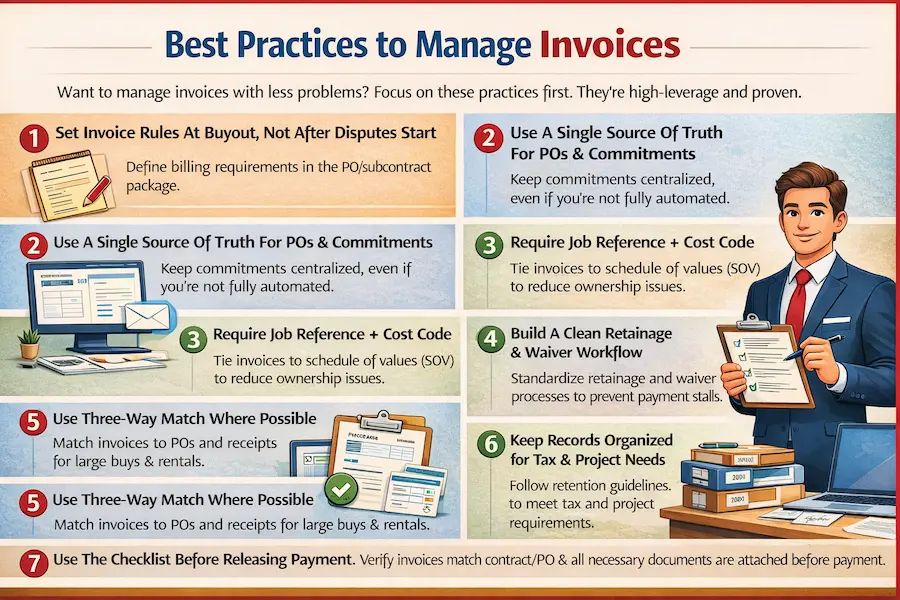
1. Set Invoice Rules At Buyout, Not After Disputes Start
Procurement should define billing requirements in the PO/subcontract package:
Invoice format requirements, backup required, where to send invoices, and how change orders will be billed. This is the perfect time to set expectations, because vendors haven’t started billing yet.
2. Use A Single Source Of Truth For POs & Commitments
When POs live in email and invoices live elsewhere, matching becomes manual. Even if you’re not fully automated, keep commitment data centralized.
3. Require Job Reference + Cost Code.
This small rule reduces the invoice ownership problem. Tie pay apps to a disciplined schedule of values. AIA guidance reinforces that schedules of values allocate the contract sum across portions of work and are used to support payment applications. So, treat the SOV as a control document, not just paperwork.
4. Build A Clean Retainage & Waiver Workflow
Retainage and waiver management are common reasons payments stall. If the workflow is standardized, approvals and closeout go more smoothly.
5. Use Three-Way Match Where Possible
A three-way match is not always necessary for every small invoice. Use it where the risk is real, like
- Large material buys
- Long-running rentals
- High-dollar invoices
6. Keep Records Organized For Tax & Project Needs
IRS guidance on record retention focuses on keeping records long enough to support tax reporting, and notes you may need records longer for non-tax purposes.
7. Use The Checklist Before Releasing Payment
- Invoice matches contract/PO and approved change status
- Quantities/receipt verified (as applicable)
- Cost coding confirmed
- Approvals complete (correct authority levels)
- Required documents are attached (if applicable):
- Lien waiver (correct type for progress/final)
- Insurance documentation (COI), if the contract requires it
- Any job-specific owner/lender backup requirements
COI handling is often treated as a risk-management standard when hiring subcontractors and vendors. This is important as improper handling can expose the contractor to liability.
Connect with Pro Procurement to review your current procure-to-pay flow and identify where structure can reduce invoice rework and shorten approval cycles!
Frequently Asked Questions
1. Is invoice management the same as accounts payable?
No. Invoice management is the workflow and controls around invoices (receipt, verification, approvals, documentation, and tracking). On the other hand, accounts payable is the accounting function responsible for paying and recording vendor obligations.
2. What documents should be attached to a construction invoice?
It depends on the invoice type, but commonly includes:
- Delivery tickets
- Receiving confirmations
- Approved change documentation
- T&M tags
- Pay app backup
3. How long should contractors keep invoices and payment records?
The IRS recommends keeping records as needed for tax purposes and notes that you may need to keep them longer for non-tax reasons like insurance or creditor requirements.
4. Are digital invoices acceptable for audits and taxes in the U.S.?
Generally, yes, if they are accurate, retrievable, and support the amounts reported, recordkeeping focuses on maintaining evidence that supports tax filings. Confirm your specific retention and format requirements with your CPA and any contract/audit obligations.
5. What is a schedule of values, and why does it matter for billing?
A schedule of values breaks the contract sum into line items used to support and review progress billing. AIA guidance describes it as a required element in certain contract structures (e.g., stipulated sum or GMP) before the first application for payment.
6. What’s the difference between conditional and unconditional lien waivers?
Conditional waivers are typically tied to the receipt/clearing of payment, while unconditional waivers generally take effect immediately upon signing. Some states provide statutory language and forms that govern how they work.
7. What is the Prompt Payment Act, and does it apply to construction?
The Prompt Payment Act requires federal agencies to pay invoices on time and pay interest penalties for late payments under qualifying conditions. It’s most relevant for federal contracting environments, not private projects.
8. Why do construction invoices get approved late?
Common causes include decentralized invoice intake, missing backup, unclear approval authority, and field bottlenecks. Centralized intake and workflow routing are common best-practice solutions.
9. What is segregation of duties in invoice approvals?
Segregation of duties is an internal control concept that reduces risk by separating key responsibilities (authorizing, recording, and custody/payment). GAO guidance highlights this as a way to prevent fraud, waste, and abuse.
10. What should I look for in construction invoice management software?
Look for centralized intake, configurable approvals, matching support, cost coding/job cost integration, document storage/audit trails, and the ability to support construction-specific workflows (pay apps, retention, compliance documentation), depending on your business model.
Conclusion
Invoice management is one of those disciplines that separates busy contractors from controlled contractors. When it’s weak, you feel it everywhere:
- Field teams get pulled into payment fires
- PMs lose confidence in cost reports
- vendors complain
- Month-end close becomes a problem
But, when it’s strong, it becomes a quiet advantage:
- Costs hit the job correctly
- Approvals are fast because of the good structure
- Aisputes drop because of consistent documentation.
Remember that the most invoice problems are seeded upstream, during buyout, PO drafting, and vendor onboarding. If contracts and POs don’t define billing expectations, if the scope isn’t clean, and if lead-time procurement changes aren’t tracked, invoice review becomes reactive. That’s where a construction procurement partner can help.
Pro Procurement positions itself as a procurement consulting and contracting services provider supporting procurement planning, supplier relationships, and procurement execution across project types. The goal is to improve project efficiency and supply chain outcomes for you.
In other words, the team’s support can improve invoice outcomes by helping you:
- Define the scope clearly at buyout
- Issue cleaner POs/commitments
- Coordinate supplier documentation requirements
- Reduce downstream invoice exceptions tied to missing procurement context
So, if your projects are experiencing repeated invoice delays, mismatches, or vendor payment friction, Pro Procurement can support the upstream procurement controls that make invoice management smoother, especially around sourcing, buyout structure, and vendor coordination.